Project summary
This apparel store runs on WooCommerce and started with almost no organic visibility. With almost nothing in place yet, each piece of work was planned as groundwork for the step after it. Our team worked on the store’s SEO for 10 months.
All numbers come from the store’s Google Search Console and Semrush. The store’s name and address are hidden in the screenshots.
The problem: Google was barely crawling the store
When we first opened the site, the issues were stacked on top of each other:
- serious technical problems, including crawl errors and slow pages;
- near-duplicate URLs created by product variations (each size or color producing its own thin page);
- no keyword strategy, so no page had a clear search target;
- thin category and product content, with no keyword-focused H1s;
- almost no internal links between categories and products.
For an apparel store, category pages usually win the most valuable searches. Here they were the biggest missed opportunity.
Our strategy
We worked in a strict order: make the store crawlable first, then decide what every page is for, then give each page content that deserves to rank. Doing it the other way around wastes effort, because new content on a store Google cannot crawl properly is simply not seen.
Why we chose this order of work
A store Google is barely crawling can’t benefit from new content, because Google may never reach it. So technical fixes came before everything else. Next came the keyword map, because rewriting category pages without knowing which search each one should win just produces nicer text with no direction. Only then did we write and expand content, so every word was aimed at a specific page and a specific search.
We also chose to put category pages ahead of blog content. On an apparel store, the category layer matches the broad searches shoppers make, it passes authority down to products, and it was the biggest gap on this site. Blog articles came later as support, linking back to those commercial pages.
Step by step: what our team did
- Technical audit and fixes. We fixed crawl errors, cleaned up variation duplicates, added missing schema markup, improved page speed and repaired broken internal links.
- Keyword research and mapping. Each main and supporting keyword was given a single home page, which stopped the store’s own pages from fighting over a query.
- Category page rewrites. Each category got a keyword-focused description, a short FAQ section and clear links to its products.
- Product page optimization. Our team reworked titles, meta descriptions, alt text and product schema, then grew the product copy around the phrases buyers type when they are close to ordering.
- Supporting blog content. We planned articles that answer informational searches and link to the right commercial pages, building topical authority for Google and AI search.
What each step involved, and why it mattered
Technical fixes
Crawl errors and broken internal links send Google down dead ends. Slow pages hurt shoppers and use up crawl time. Missing schema markup makes it harder for Google to understand products. Each of these was a reason Google was spending little time on the store, so each was fixed first.
Variation duplicates
On WooCommerce, product variations can create separate thin URLs for each size or color. To Google these look like many near-identical pages. Cleaning them up meant Google’s crawl time went to real category and product pages instead of copies.
Keyword research and mapping
Every primary and secondary keyword was assigned to one page. This prevents two pages from competing, and it gave each category and product page a clear target for its H1, title and copy.
Category pages
Each category received a description focused on its keyword, a short FAQ answering common shopper questions, and clear links to its products. FAQs help shoppers decide, and clear, well-structured answers are also the kind of content AI search tools tend to pick up.
Product pages
Product titles, snippets, alt text and structured data got a full pass, and thin descriptions were extended to cover ready-to-buy queries. Alt text helps image search and accessibility. Product schema helps Google show products accurately.
Supporting blog content
Articles answer informational questions shoppers ask before buying and link to the right category or product. This builds topical authority around the store’s main subjects.
Results
-
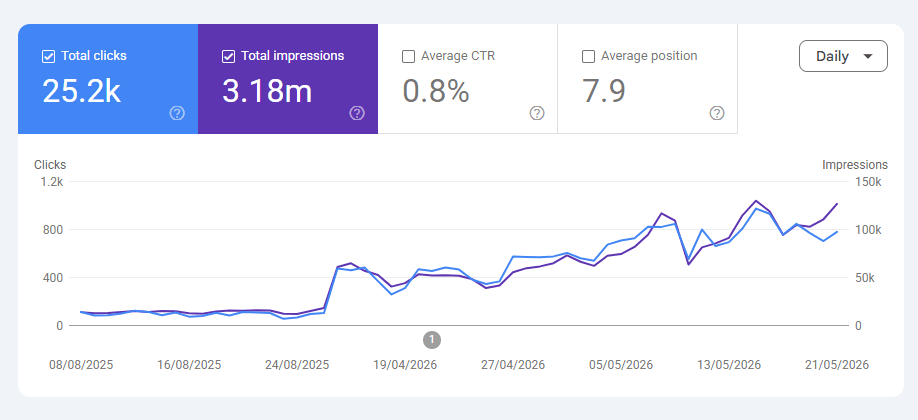
3.18 million organic impressions over 10 months, starting from almost nothing.
Search Console logged 25.2K clicks and an average position of 7.9.
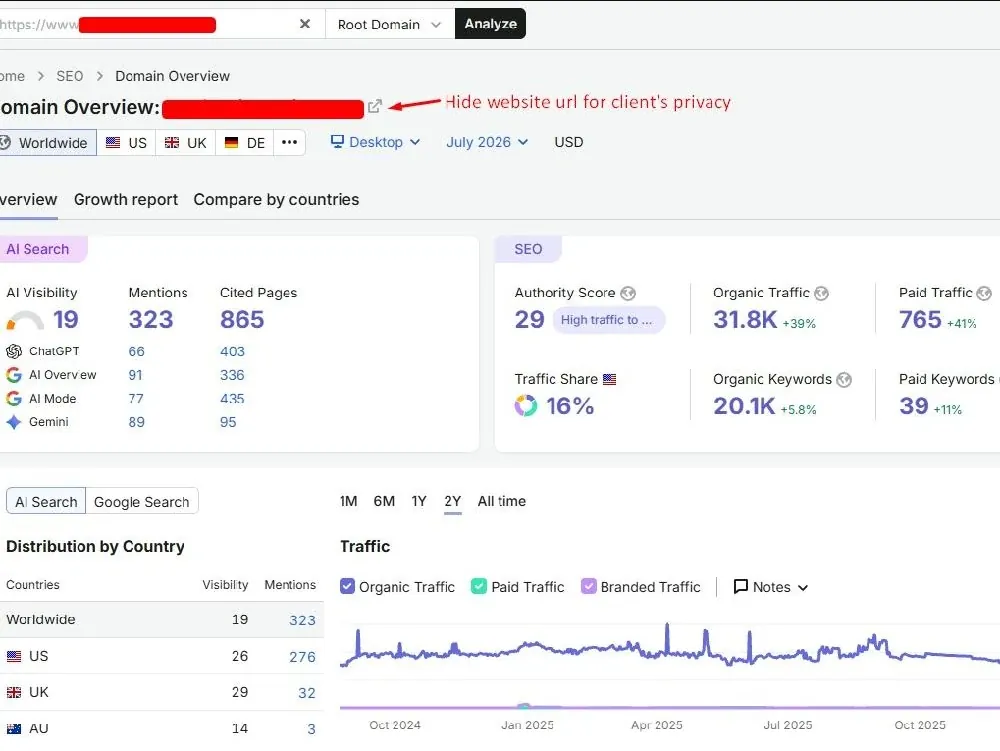
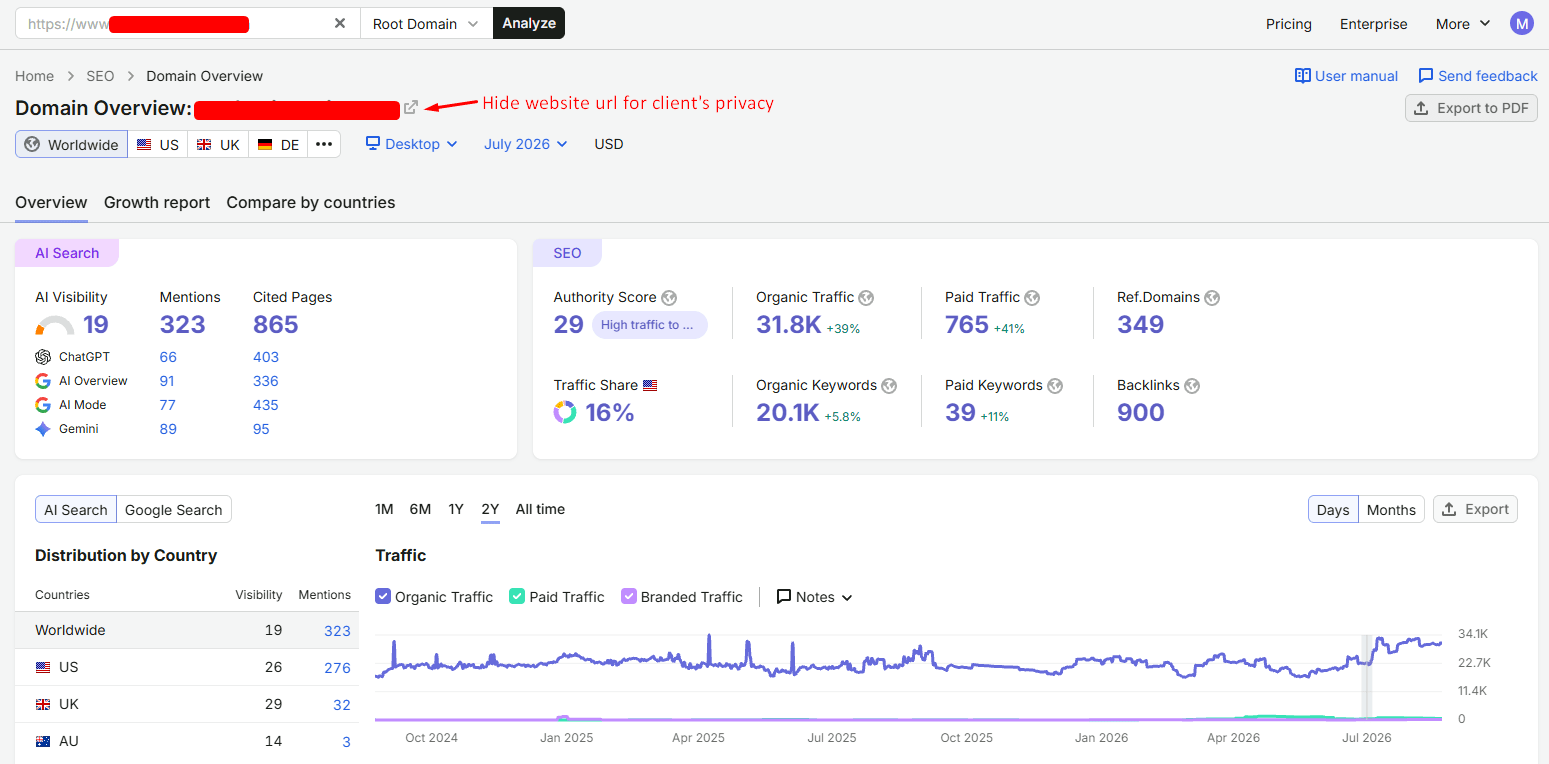
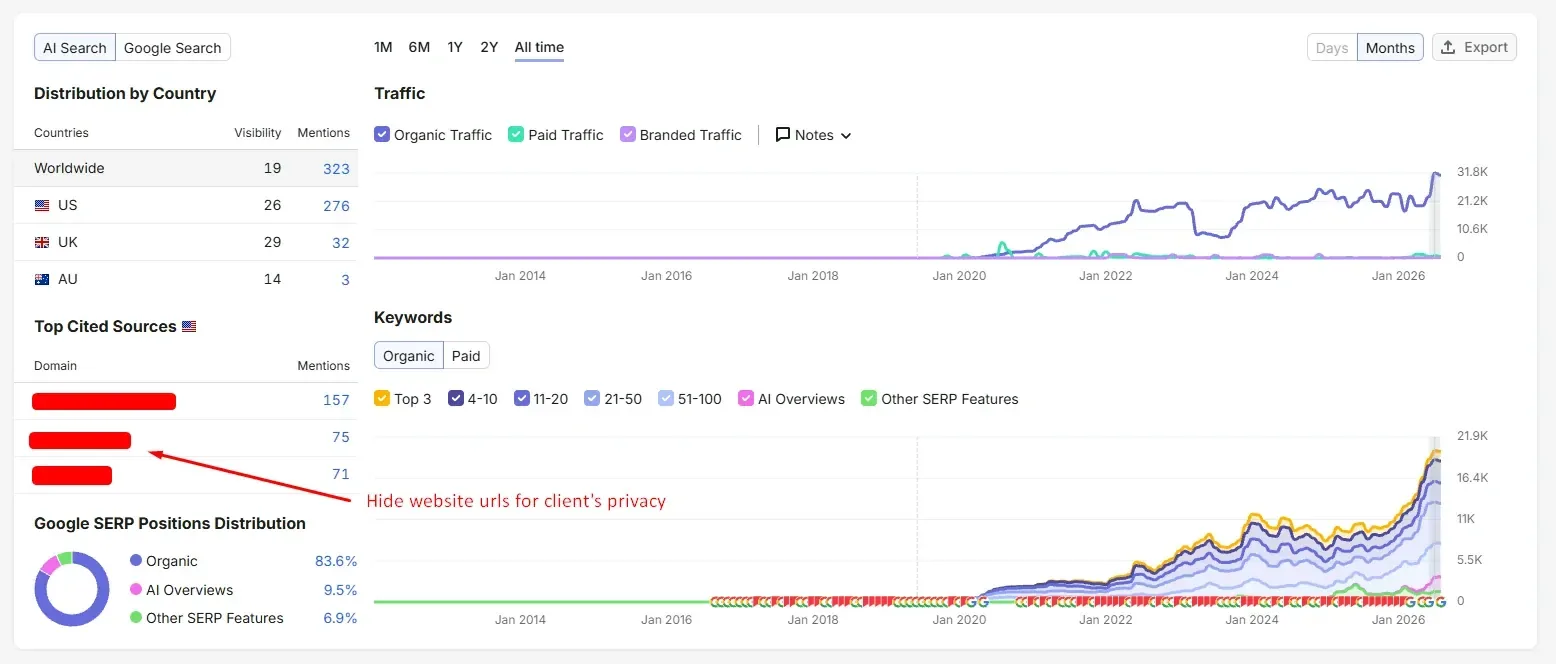
Semrush puts monthly organic traffic at about 31.8K (a 39% rise), with 20.1K keywords ranking.
For AI search, Semrush counts 323 mentions and 865 cited pages spread over ChatGPT, AI Overviews, AI Mode and Gemini.
What we would do next
With an average position of 7.9, many searches already sit on page one, but often in the lower half. The next step would be finding the pages with the most impressions and the weakest click-through rate, then improving their titles, descriptions and content to move them up the page. We would also keep the variation clean-up in place as new products are added, and keep extending the supporting articles around the categories that already perform.
What this project taught us
Category pages are the engine of an apparel store. Category pages catch wide shopper queries, feed authority to the products beneath them and, when clearly written, get quoted by AI tools too. On any WooCommerce store, our first content priority after the technical fixes is the category layer.
We also saw how much product variations can hurt WooCommerce stores. Cleaning them up early freed Google’s crawl time for the pages that matter.
Is this approach right for your store?
If your WooCommerce store has impressions but few clicks, or barely shows up at all, start with crawlability and category pages. Learn more about our WordPress and WooCommerce SEO service or our wider eCommerce SEO agency work.
Evidence from the project
Screenshots from the client's own tools. Click to enlarge.